Kling 4.0 API: A Clear Image-to-Video Brief

“Make this image move” leaves a developer with creative decisions they may not own. Which file is the approved source? Should the camera move? What would make the result unacceptable? A good handoff answers those questions before anyone starts interpreting a folder of attachments.
For a Kling 4.0 API project, the handoff connects creative intent to a service request. API means application programming interface: a way for software to communicate with another service. A designer does not need to write the integration code to supply a brief that makes that code useful.
This guide uses an illustrative scene: a small potted plant on a shelf, with a slight movement in its leaves. The sample names and review notes are project-planning examples, not service parameters or a claim of a completed generation.
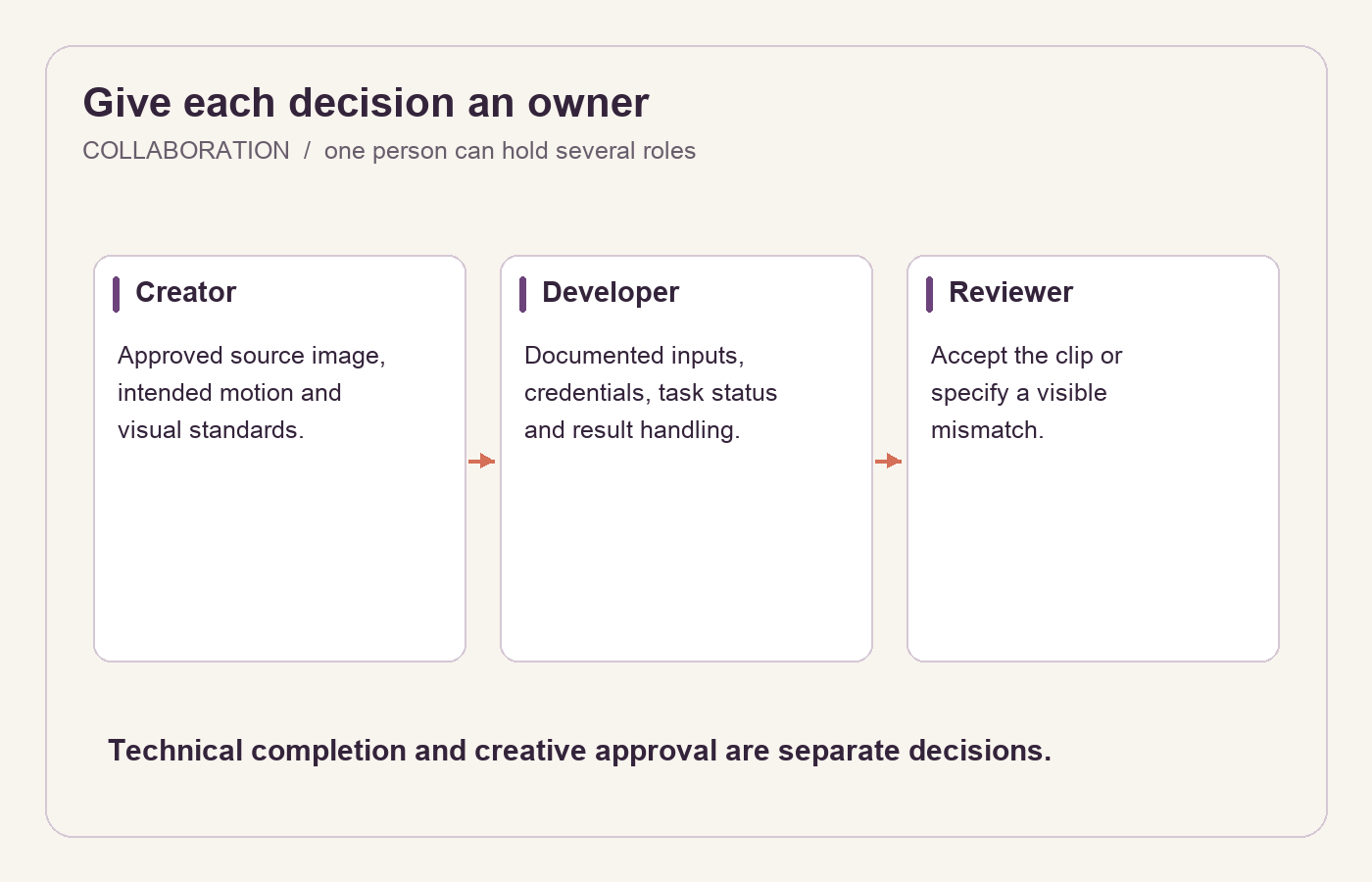
Separate creative decisions, request handling and acceptance so each person knows the next action.
Agree on the job each person owns
The creator supplies the approved image, the intended motion and the visual standards. The developer translates that brief into the service's documented inputs, handles credentials and task status, and connects the result to the application. A named reviewer decides whether the clip meets the intended use.
One person may hold more than one role. What matters is that a technical completion does not quietly become a creative approval. A returned video can be valid as a file and still show the wrong movement or fail to fit the design.
For the plant scene, the intended use might be a calm header on a gardening article. That purpose belongs in the brief. It explains why energetic motion, a moving shelf or a dramatic camera orbit would be unsuitable even if the clip looked interesting on its own.
Deliver one source of truth for the source image
Provide the exact image file with a stable version name, such as plant-source-v2.png. Check that the team has permission to use and process it. Include any crop or retouching decision in that approved version, rather than sending a second edit halfway through the request.
State which details must remain visible. In this example, the whole pot should stay inside the frame, and the leaves should remain separate enough to read against the background. If the application places text beside the plant, include a layout reference showing the space that must remain quiet.
The developer should check the file against the service's current input requirements. Dimensions, formats and delivery methods belong to the documented integration. They should not be guessed from a creative mockup or inherited from a different model.
Write a brief that survives a change of collaborator
A compact handoff can fit into one document:
Task:
garden-header-01.Source:
plant-source-v2.png, approved by the designer.Prompt version:
plant-motion-v1.Motion: a few leaves sway slightly, then settle.
Camera: fixed view.
Stable details: pot, shelf, background and overall plant position.
Use: quiet gardening-article header.
Review owner: the person responsible for the page design.
Add the exact prompt underneath rather than asking the developer to reconstruct it from the bullet points:
A few visible leaves sway slightly and settle. Keep the camera fixed. Preserve the pot, shelf and background, and keep the plant rooted in the same position.
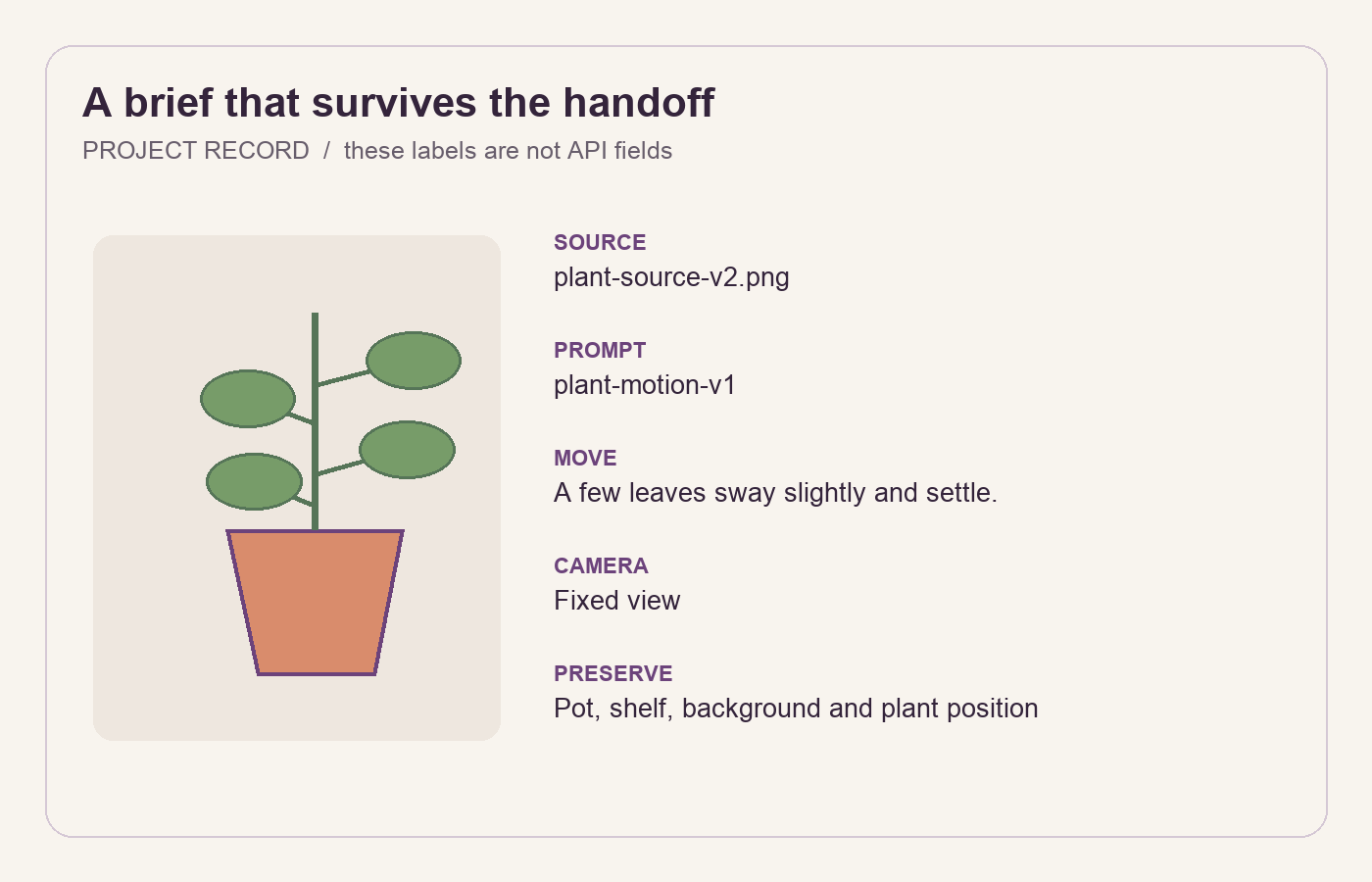
A small, versioned brief is easier to execute than a folder of files with instructions scattered through chat.
These names organize your own work. They do not imply that the provider accepts fields called “review owner” or “stable details.” The developer maps the creative requirement to supported options and explains any mismatch before generating a large batch.
Make completion and recovery visible
Ask the developer to return a clear task status, the result location and the brief version used. If a task is still processing, report that status. If it fails, keep the failure connected to the same record. Do not replace an unsuccessful request with a new one while presenting the record as a single uninterrupted attempt.
An interrupted connection also needs a defined response. The developer should use the documented task-handling behavior to determine whether a request exists before resubmitting. This protects both the record and the budget from uncertainty disguised as repeated clicking.
Keep API credentials out of the creative document, screenshots and client-visible code. Collaborators need the task name and result reference to review a clip. They do not need a secret key in the same folder as the source image.
If spending approval is required, name the person who can authorize more attempts and the point at which work pauses. “Generate until it looks good” is an open-ended instruction, not a usable budget agreement.
Turn acceptance into visible observations
Review the video at its intended size in the page layout. Look at the plant's identity, the movement of the leaves and the stability of the pot and shelf. Watch through the end; a convincing opening frame cannot stand in for the full clip.
Feedback should identify the result and the issue. “For garden-header-01, the pot shifts left while the leaves move” is precise. “Please improve the quality” leaves the developer to invent a diagnosis.
Choose the next action together. If the movement is too broad, revise only the motion instruction. If a leaf disappears against the wall, a revised source image may be more useful. Save that as a new source version so the reason for the change remains visible.
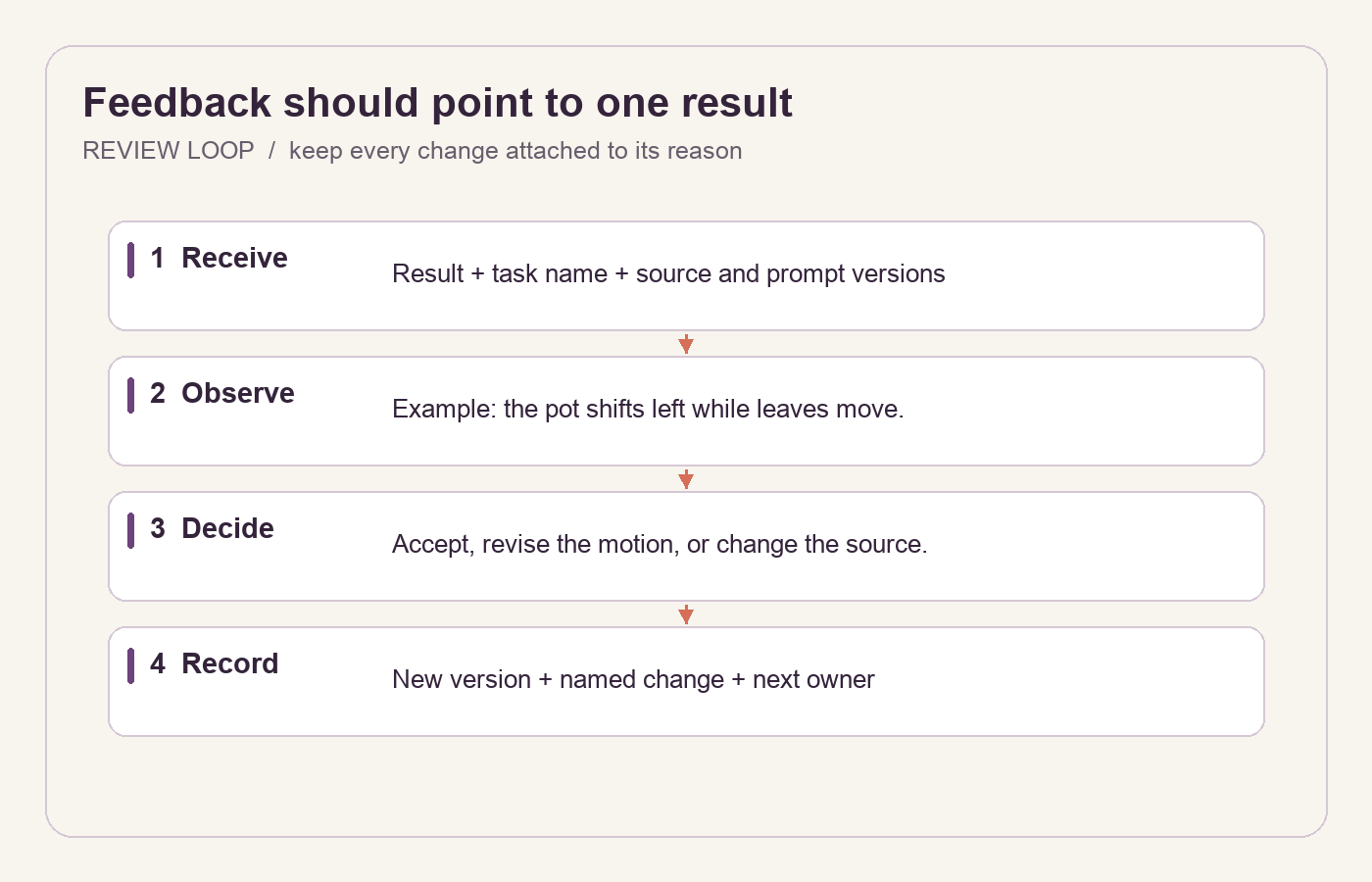
Keep feedback attached to the result it describes and create a new brief only for the intended change.
Close the handoff with a decision
An accepted result needs a final file reference and an explicit approval. A revision needs a new brief version and a named change. A stopped task needs a short reason, such as a repeated mismatch or the agreed attempt budget being reached. Each outcome gives the next collaborator a clear place to resume.
When choosing the service options for this brief, use the Flaq AI Kling 4.0 image-to-video API page to check the current model information, then let the developer match the agreed source and motion to the supported inputs. The creative document should remain understandable without exposing credentials or pretending to be executable API documentation.
A useful handoff is complete when someone new can identify the approved source, reproduce the intended instruction and understand who decides whether the result is finished.
Disclosure: This article is provided by the Flaq AI team at FLAQ TECH PTE. LTD.